
Descript
Edit video and podcasts by editing the transcript, like a doc
Overview
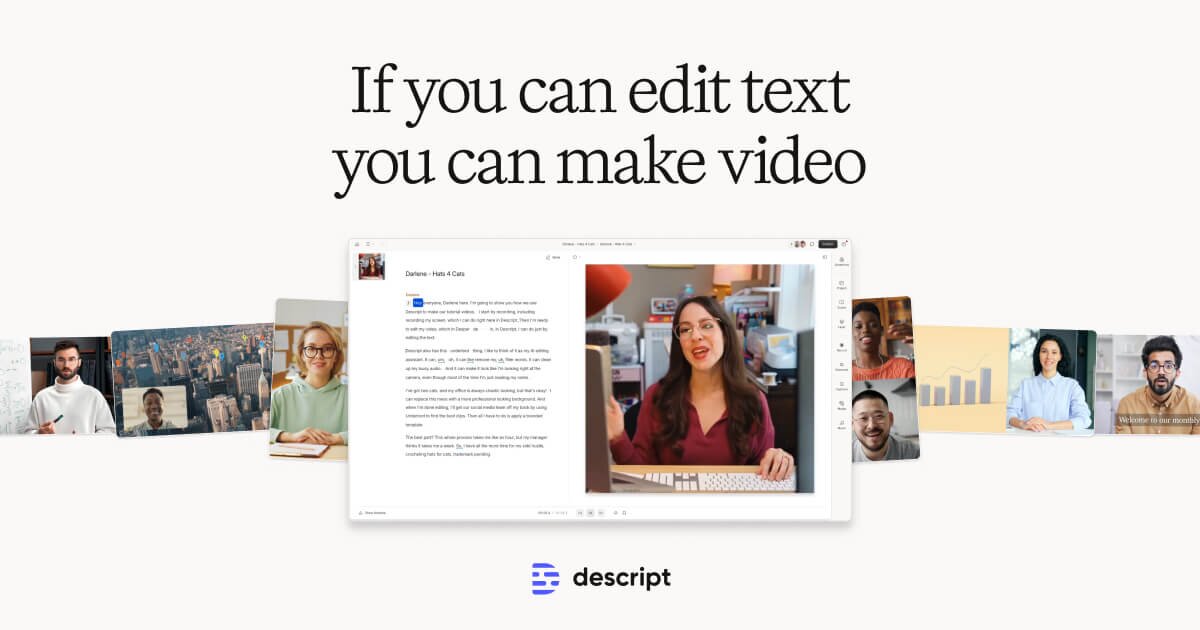
Descript is the only video and podcast editor that lets you edit by editing a transcript. Cut a sentence in the doc and the audio/video updates instantly — no scrubbing, no timeline, no waveform staring. For marketers producing video content, podcasts, or webinar recordings, this single workflow change saves hours per episode compared to Premiere or Final Cut.
Pricing starts free (1 hour of transcription/month, watermarked exports), $24/month Creator (10 hours, no watermark, Studio Sound, Eye Contact), and $35/month Pro (40 hours, Overdub voice cloning, advanced features). The killer AI features are Studio Sound (one click removes background noise and makes voices sound studio-grade), Eye Contact (corrects gaze so you appear to look at the camera even when reading from a script), and Overdub (clones your voice to fix mistakes by typing). Descript also auto-generates social clips, captions, and chapter markers from a single recording — making it the closest thing to an AI-native video repurposing engine.
The trade-off vs. Premiere is that Descript struggles with multi-track, color-graded, professionally-shot productions. For marketers and podcasters producing weekly content with a single camera or screen recording, Descript is the right tool.
Key features
- Edit video and audio by editing the transcript
- Studio Sound — one-click background noise removal and voice enhancement
- Eye Contact — AI gaze correction so you appear to look at the camera
- Overdub voice cloning to fix mistakes by typing
- Auto-generated social clips and captions from a single recording
- Screen recording with separate audio tracks
- Multi-track audio for podcast editing
Pros
- Transcript-based editing genuinely saves hours per episode vs. timeline editors
- Studio Sound is the best one-click audio cleanup tool for non-engineers
- Eye Contact alone is worth the subscription for anyone who reads from teleprompter
- Free tier is generous enough to test the workflow before committing
Cons
- Not a serious replacement for Premiere or Final Cut on multi-camera, color-graded productions
- Overdub voice quality lags behind ElevenLabs for professional voiceover work
- Pricing tiers gate the most useful features (Eye Contact, Studio Sound) behind Creator+
Best for
Marketers, podcasters, and creators producing weekly video or audio content with a single camera or screen recording, who'd rather edit a doc than a timeline.
Frequently asked questions
Is Descript worth $24/month for a solo podcaster?+
Yes — for any podcaster producing more than 1 episode/month, the time saved on editing pays back the $24/month within the first hour. Studio Sound alone is worth the price.
How does Descript compare to Riverside?+
Riverside is built around remote podcast recording (similar to Zoom but recording locally), while Descript is built around editing. Many podcasters use both — Riverside to record, Descript to edit.
Can Descript replace Premiere Pro?+
For most marketers producing single-camera or screen-recorded content, yes. For multi-camera productions, color grading, and complex VFX, you still need Premiere or Final Cut.
Does Descript have AI voice cloning?+
Yes — Descript Overdub clones your voice and lets you fix mistakes by typing replacement words. The voice quality is decent but lags behind ElevenLabs for professional voiceover work.
Is Descript good for short-form video repurposing?+
Yes — Descript auto-generates social clips with captions from any longer video, making it useful for repurposing podcasts and webinars into TikTok and Instagram content. Opus Clip is more specialized for this specific workflow.


Where Descript shows up in our playbooks
The playbooks and posts on this site that recommend, compare, or walk through how to use Descript.
Related tools

ElevenLabs
The most realistic AI voice generation and cloning, by a wide margin

AuthoredUp
The LinkedIn post editor every serious creator quietly uses

Canva
The visual design platform that democratized marketing creative
Get one playbook a week.
Real tactics for marketers using AI. No fluff, no spam.